> ## Documentation Index
> Fetch the complete documentation index at: https://docs.flexwash.com/llms.txt
> Use this file to discover all available pages before exploring further.

# Update account information 

> This article shows you how to update an account's information directly from the Pay Tablet or handheld device. 

## Pay Tablets

### Menu

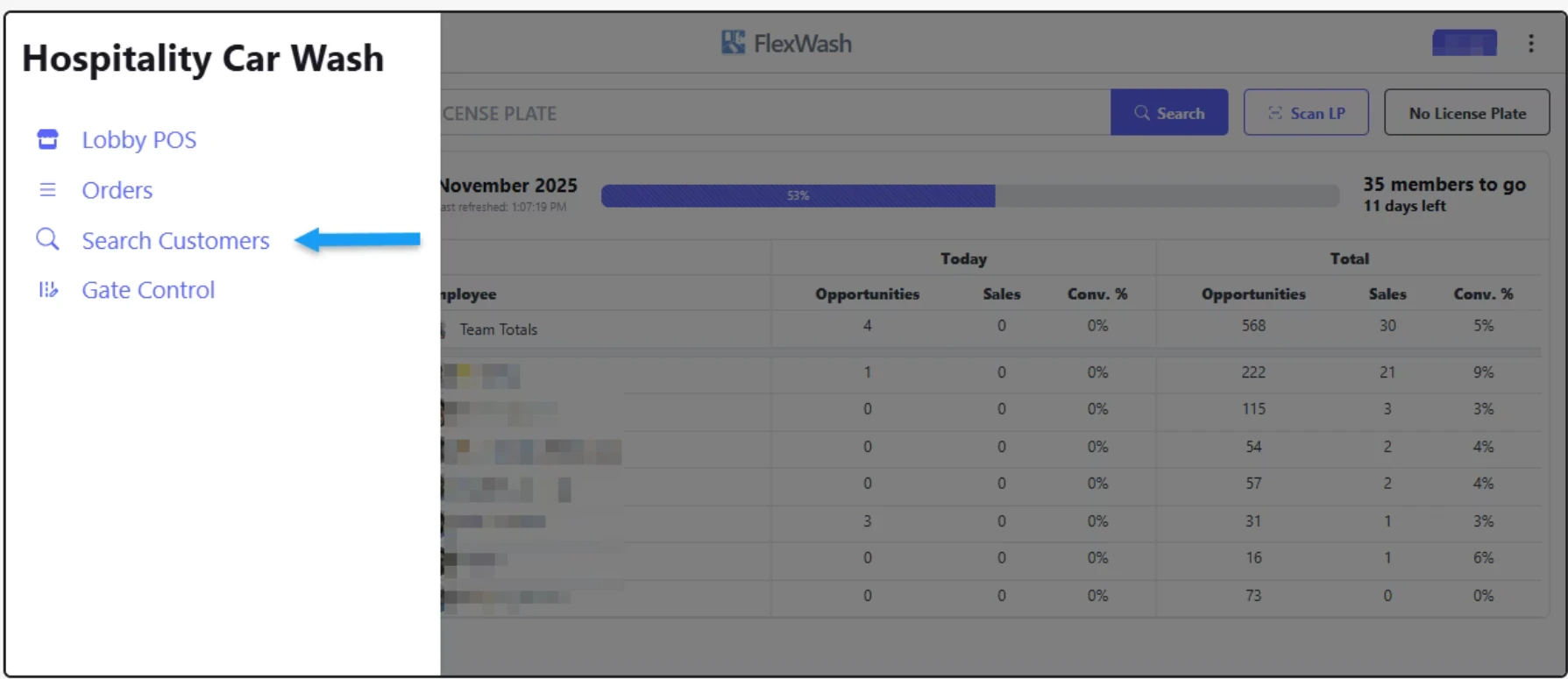
From the Pay Tablets, first you have to tap on the **Menu** button on the top left corner, and then click on the "Search Customers" option. See images below for reference:
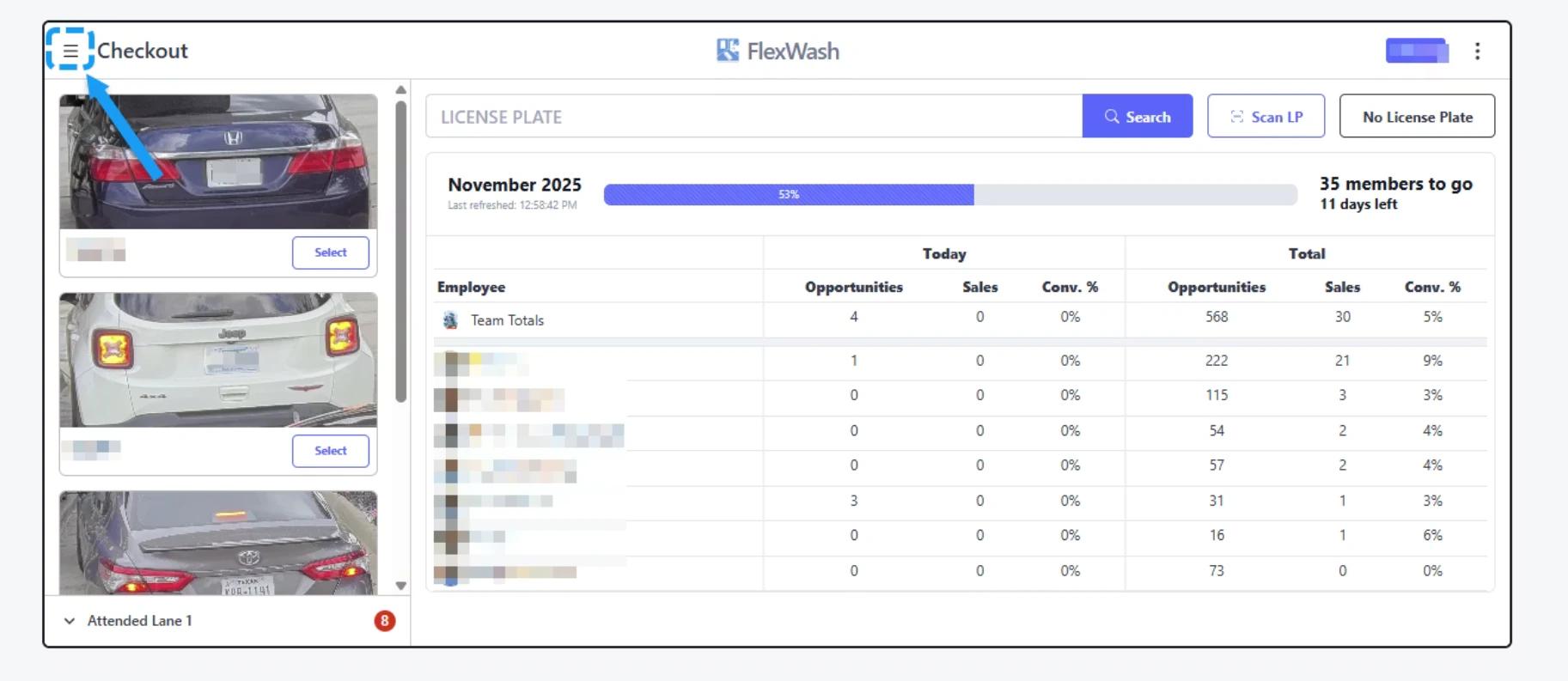
<img src="https://mintcdn.com/flexwash/DoI-y-EkfS9VAGEX/operations/customers/update-customer/updtaccnt1.png?fit=max&auto=format&n=DoI-y-EkfS9VAGEX&q=85&s=a90403346a2750b555e319ba7f1680cd" alt="Updtaccnt1 Pn" width="1825" height="793" data-path="operations/customers/update-customer/updtaccnt1.png" />

<img src="https://mintcdn.com/flexwash/DoI-y-EkfS9VAGEX/operations/customers/update-customer/updtaccnt2.png?fit=max&auto=format&n=DoI-y-EkfS9VAGEX&q=85&s=b9ec807f121311b50234e62316e657ea" alt="Updtaccnt2 Pn" width="1789" height="775" data-path="operations/customers/update-customer/updtaccnt2.png" />

### Search Customers

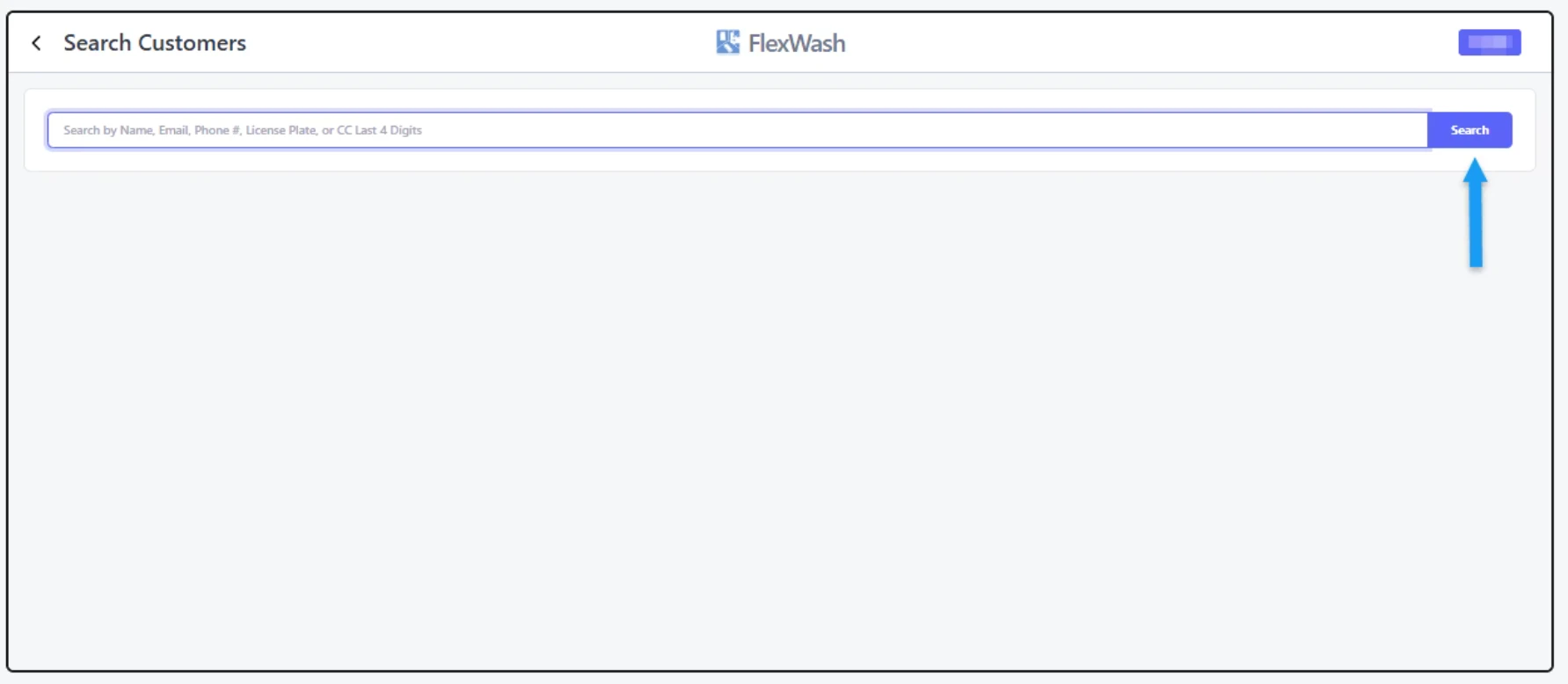
<img src="https://mintcdn.com/flexwash/DoI-y-EkfS9VAGEX/operations/customers/update-customer/updtaccnt3.png?fit=max&auto=format&n=DoI-y-EkfS9VAGEX&q=85&s=2201f2ff0e519e260125b1b279c1f55c" alt="Updtaccnt3 Pn" width="1783" height="778" data-path="operations/customers/update-customer/updtaccnt3.png" />

You can search by customer's name, phone number, License Plate and last 4 digits of the Credit Card.

### Edit Account
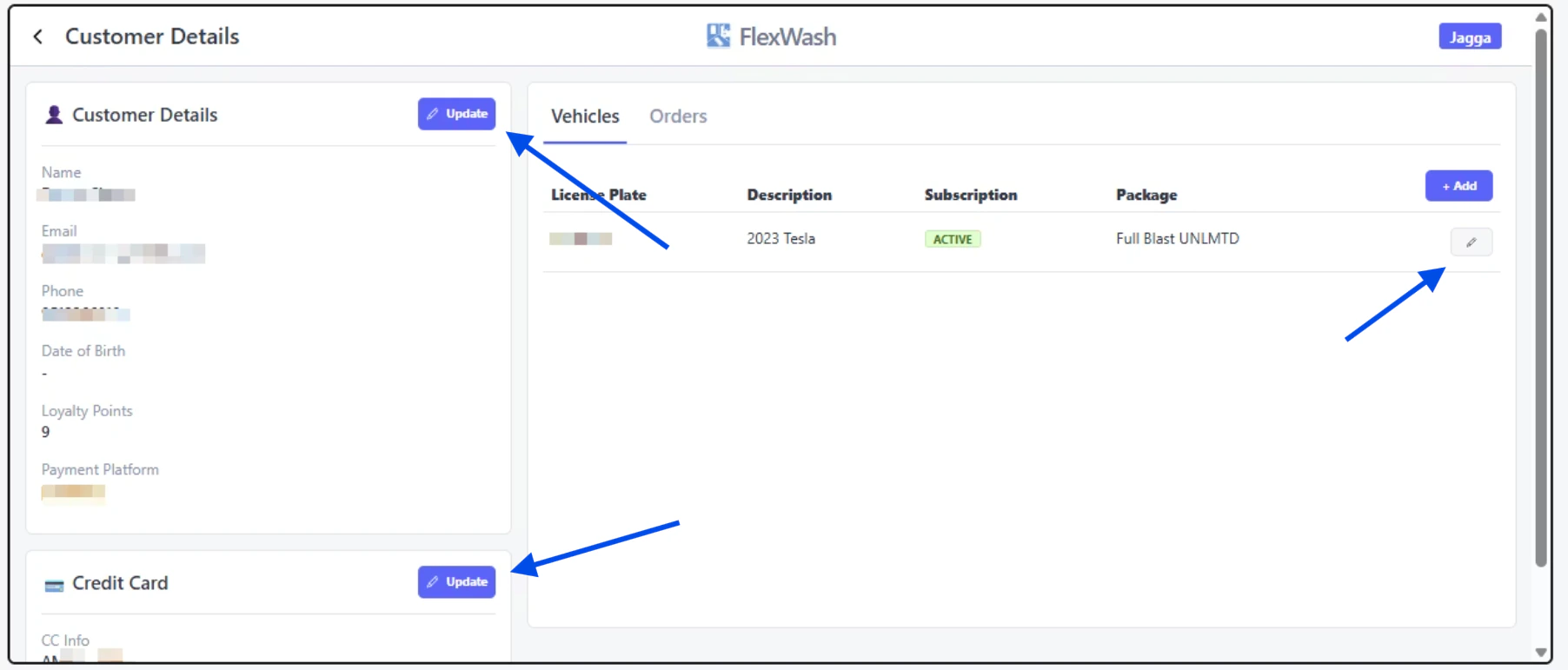
<img src="https://mintcdn.com/flexwash/DoI-y-EkfS9VAGEX/operations/customers/update-customer/updtaccnt4.png?fit=max&auto=format&n=DoI-y-EkfS9VAGEX&q=85&s=8d43b9843dc6c4800aa9f2eef8b3f8eb" alt="Updtaccnt4 Pn" width="1804" height="771" data-path="operations/customers/update-customer/updtaccnt4.png" />

Once you find the account, you can update the Customer's Details, Credit Card, and vehicles.

## PAX

<iframe src="https://drive.google.com/file/d/1P0fB7jYrdXGjnEDhkIcfz7xNp8Cgc-QB/preview" width="640" height="480" allow="autoplay" />