> ## Documentation Index
> Fetch the complete documentation index at: https://docs.flexwash.com/llms.txt
> Use this file to discover all available pages before exploring further.
# Customer Merge
> Merge duplicate customer profiles in seconds to maintain clean data, preserve purchase history, and ensure accurate reporting.
## Overview
Use Customer Merge to combine duplicate customer profiles into a single account. This ensures accurate reporting, avoids fragmented histories, and keeps your CRM clean.
***
## Permissions
To access this feature, your user must have the **Merge Customers** permission enabled.
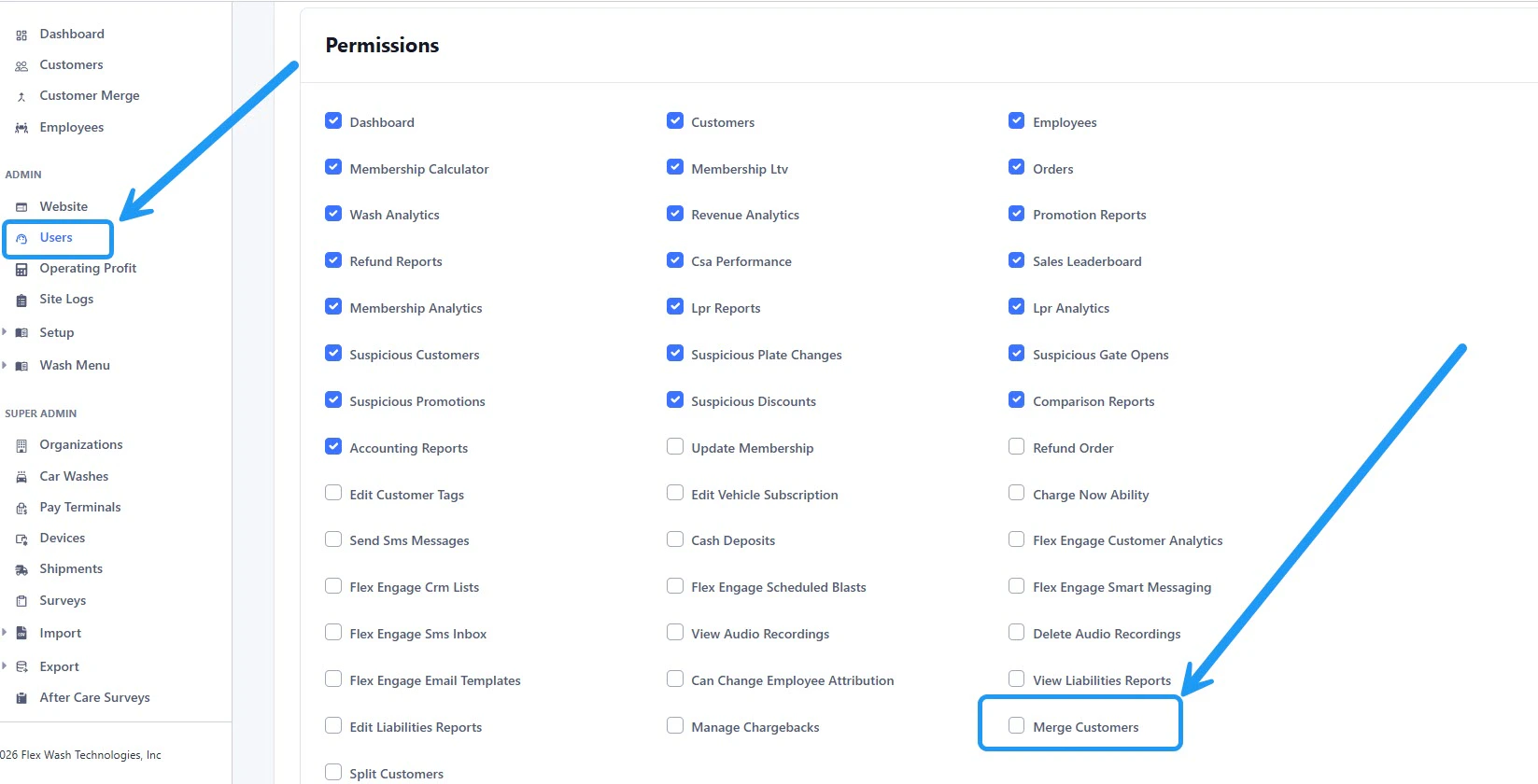 **If you do not see this option, contact your organization administrator.**
***
## Access
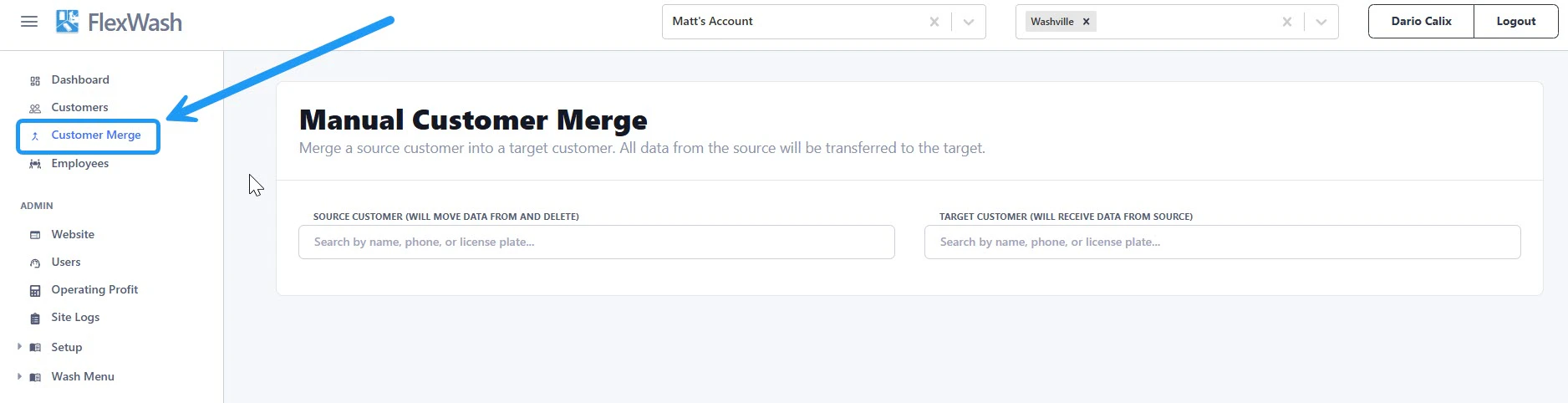
Navigate to **Customer Merge** from the left sidebar menu.
**If you do not see this option, contact your organization administrator.**
***
## Access
Navigate to **Customer Merge** from the left sidebar menu.
 ***
## Merge Customers
### 1. Select Source and Target
* **Source Customer**\
The account that will be merged and removed.
* **Target Customer**\
The account that will retain all data.
***
## Merge Customers
### 1. Select Source and Target
* **Source Customer**\
The account that will be merged and removed.
* **Target Customer**\
The account that will retain all data.
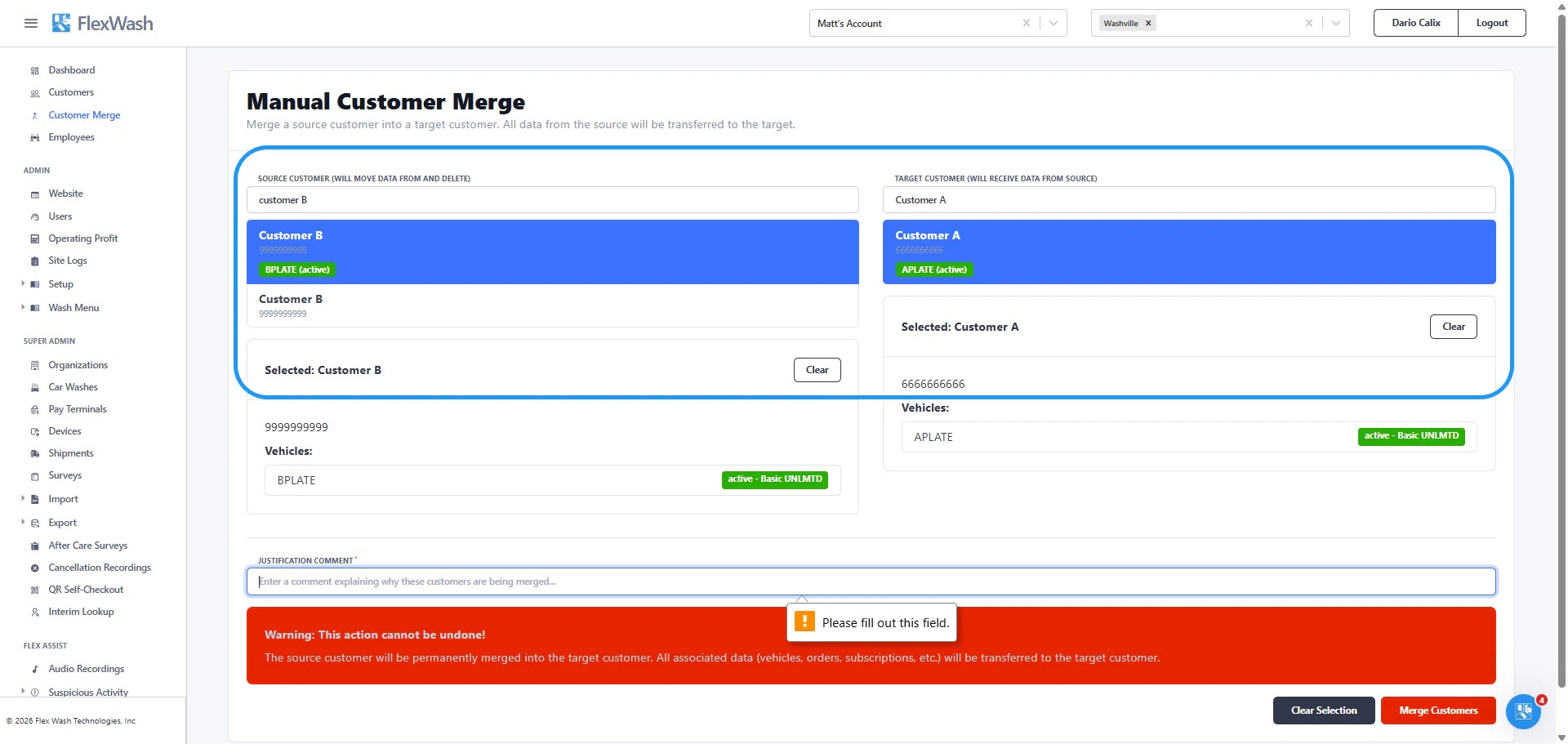 Search and select each customer in their respective fields.
***
### 2. Add Justification
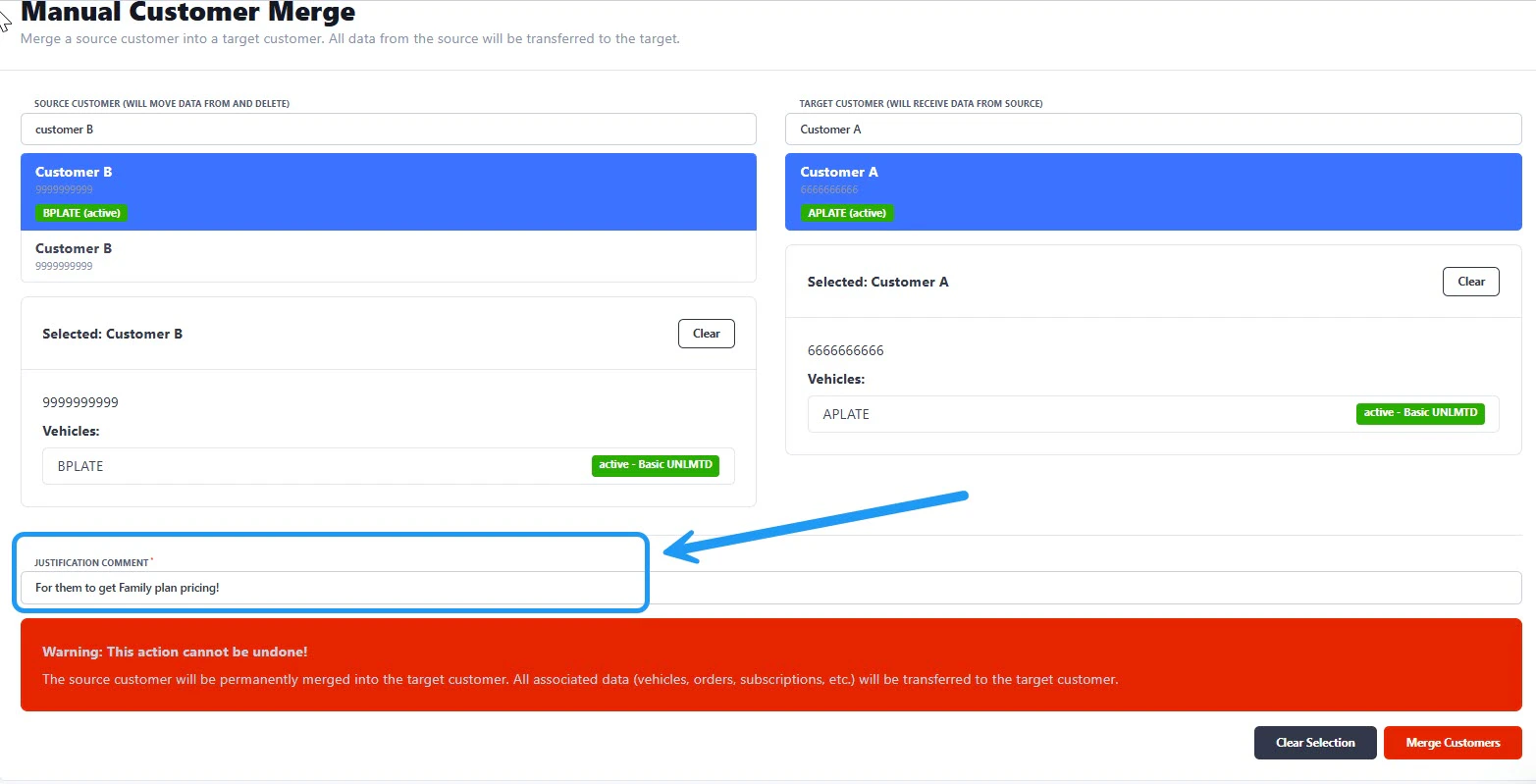
Enter a brief explanation for the merge. This creates an audit trail for your team.
Search and select each customer in their respective fields.
***
### 2. Add Justification
Enter a brief explanation for the merge. This creates an audit trail for your team.
 ***
### 3. Confirm Merge
Once completed:
* A confirmation message will appear
* Click **View Merged Customer** to review the updated account
***
### 3. Confirm Merge
Once completed:
* A confirmation message will appear
* Click **View Merged Customer** to review the updated account
 ***
## Important Notes
* All relevant data from the source customer is transferred to the target customer.
* The source customer is permanently deleted after the merge.
* This action cannot be undone.
**The source customer will be permanently merged into the target customer. All associated data (vehicles, orders, subscriptions, etc.) will be transferred to the target customer.**
***
## Important Notes
* All relevant data from the source customer is transferred to the target customer.
* The source customer is permanently deleted after the merge.
* This action cannot be undone.
**The source customer will be permanently merged into the target customer. All associated data (vehicles, orders, subscriptions, etc.) will be transferred to the target customer.**