> ## Documentation Index
> Fetch the complete documentation index at: https://docs.flexwash.com/llms.txt
> Use this file to discover all available pages before exploring further.
# Signed Terms and Conditions
> This article shows you how to find customer's signatures and the Term and Conditions.
### Files
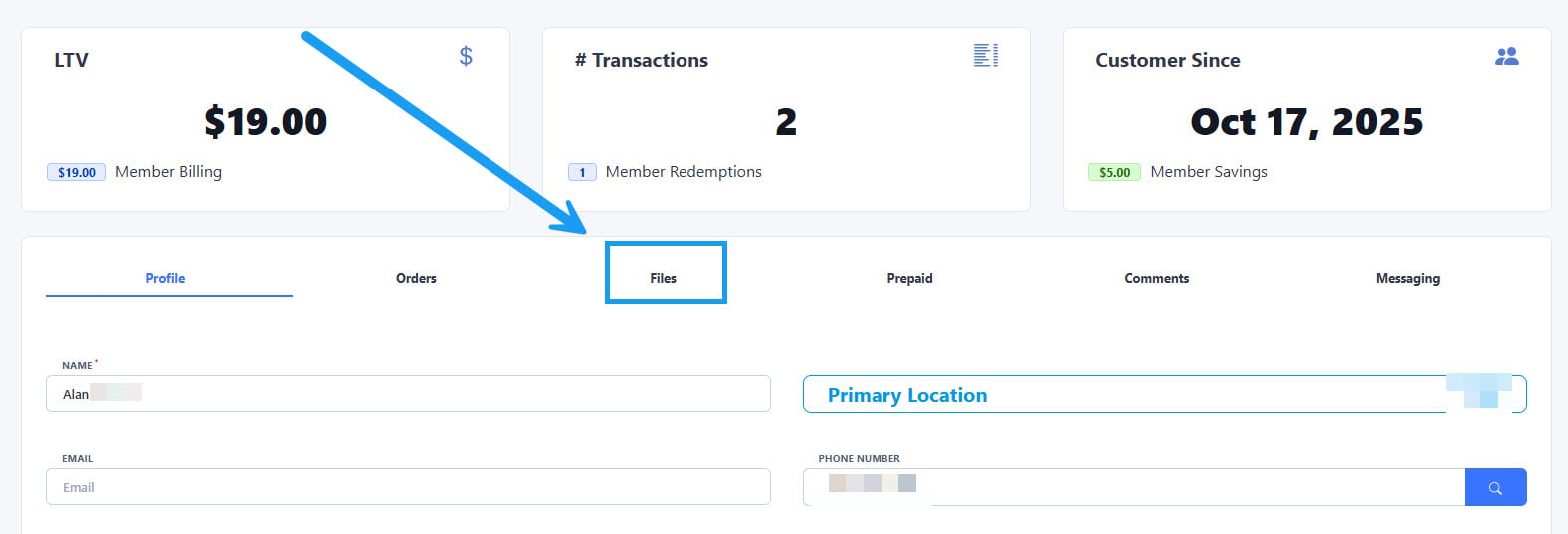 To find the file with the Terms and Conditions signed by your customers, first open the account and click on the "Files" section highlighted on the image above.
Read our ["Terms and Conditions" article](/configuration/wash-menu/terms-and-conditions) if you want to learn how to upload and assign a Terms and Conditions file to your wash packages.
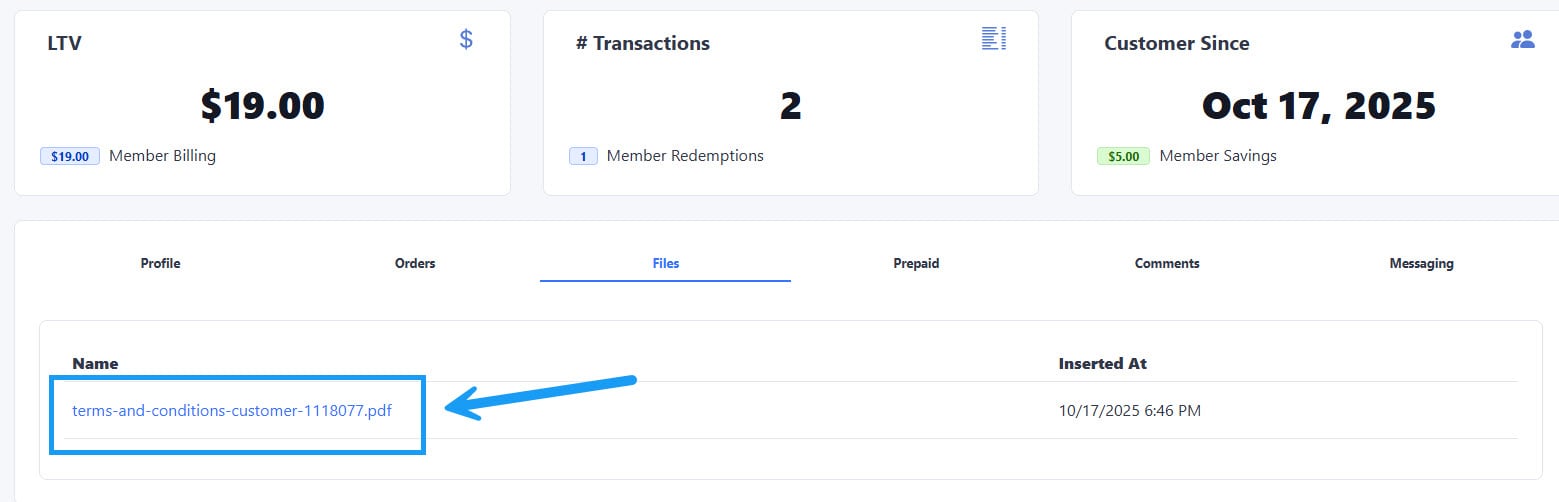
Click on the link that will appear under the "Name" column on the left side, this will open a new window with the signed Terms and Conditions in downloadable .pdf format:
To find the file with the Terms and Conditions signed by your customers, first open the account and click on the "Files" section highlighted on the image above.
Read our ["Terms and Conditions" article](/configuration/wash-menu/terms-and-conditions) if you want to learn how to upload and assign a Terms and Conditions file to your wash packages.
Click on the link that will appear under the "Name" column on the left side, this will open a new window with the signed Terms and Conditions in downloadable .pdf format: