> ## Documentation Index
> Fetch the complete documentation index at: https://docs.flexwash.com/llms.txt
> Use this file to discover all available pages before exploring further.
# Member Plate Changes
> This tool shows you the members that have swapped license plates.
### Member Plate Changes
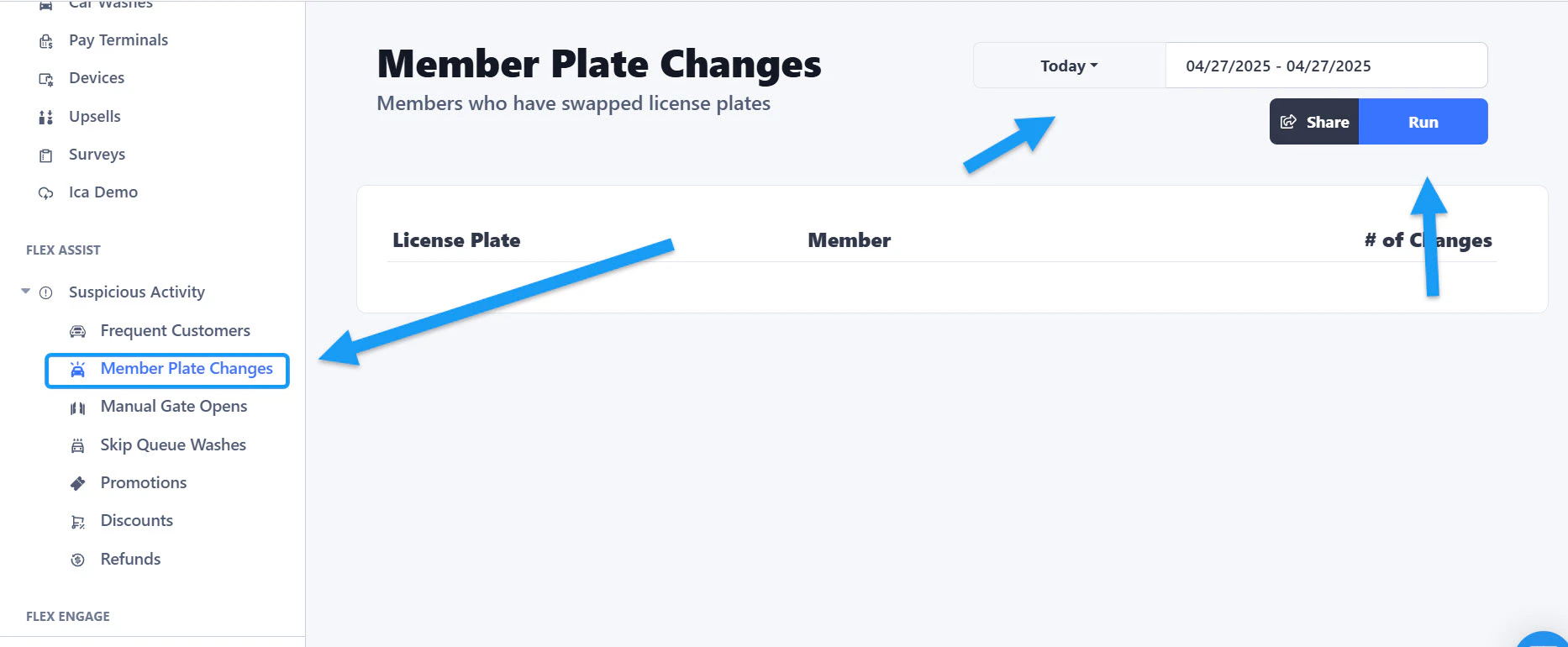 You can find it under the Flex Assist section located on the left side of the sidebar menu. Select a date range and then click the "Run" button to get the information.
## Number of changes
You can find it under the Flex Assist section located on the left side of the sidebar menu. Select a date range and then click the "Run" button to get the information.
## Number of changes
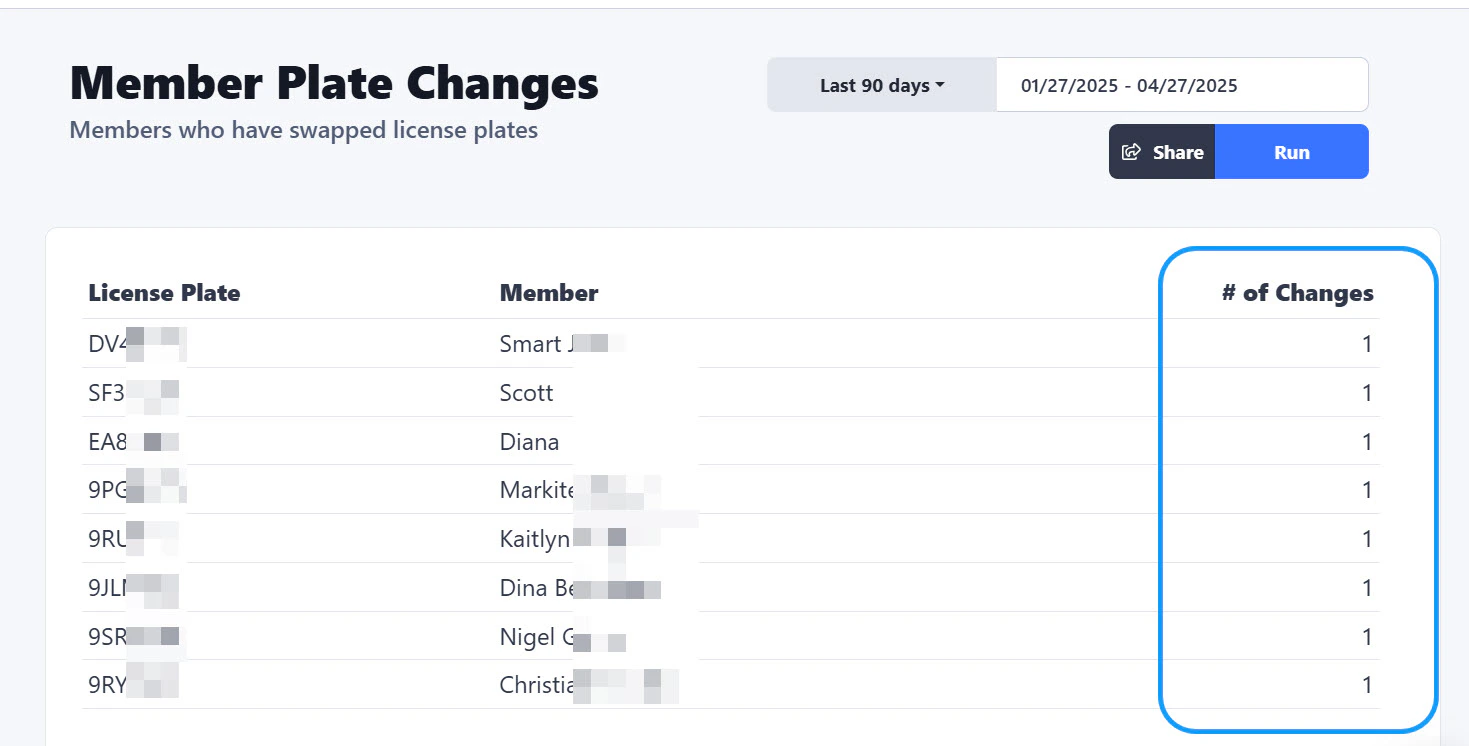 A list of the customers that have changed license plates will appear, with the amount of changes indicated on the right side. You can also click on any of the customers on the list and it will take you directly to the customer's account.