> ## Documentation Index
> Fetch the complete documentation index at: https://docs.flexwash.com/llms.txt
> Use this file to discover all available pages before exploring further.
# Manual Gate Opens
> This report shows all the times that the gates were opened manually by your employees.
## Manual Gate Opens
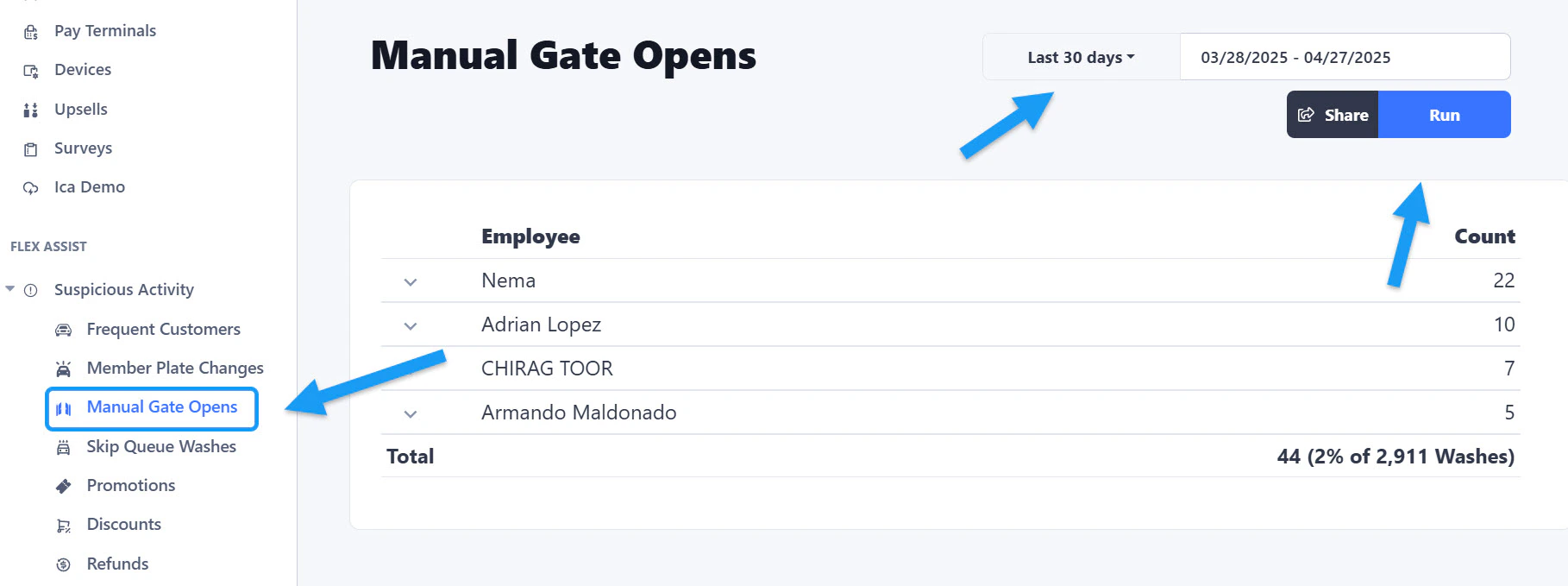 You can find the option under the Flex Assist section located on the left sidebar menu. Select a Date Range and click on the "Run" button.
## Breakdown
You can find the option under the Flex Assist section located on the left sidebar menu. Select a Date Range and click on the "Run" button.
## Breakdown
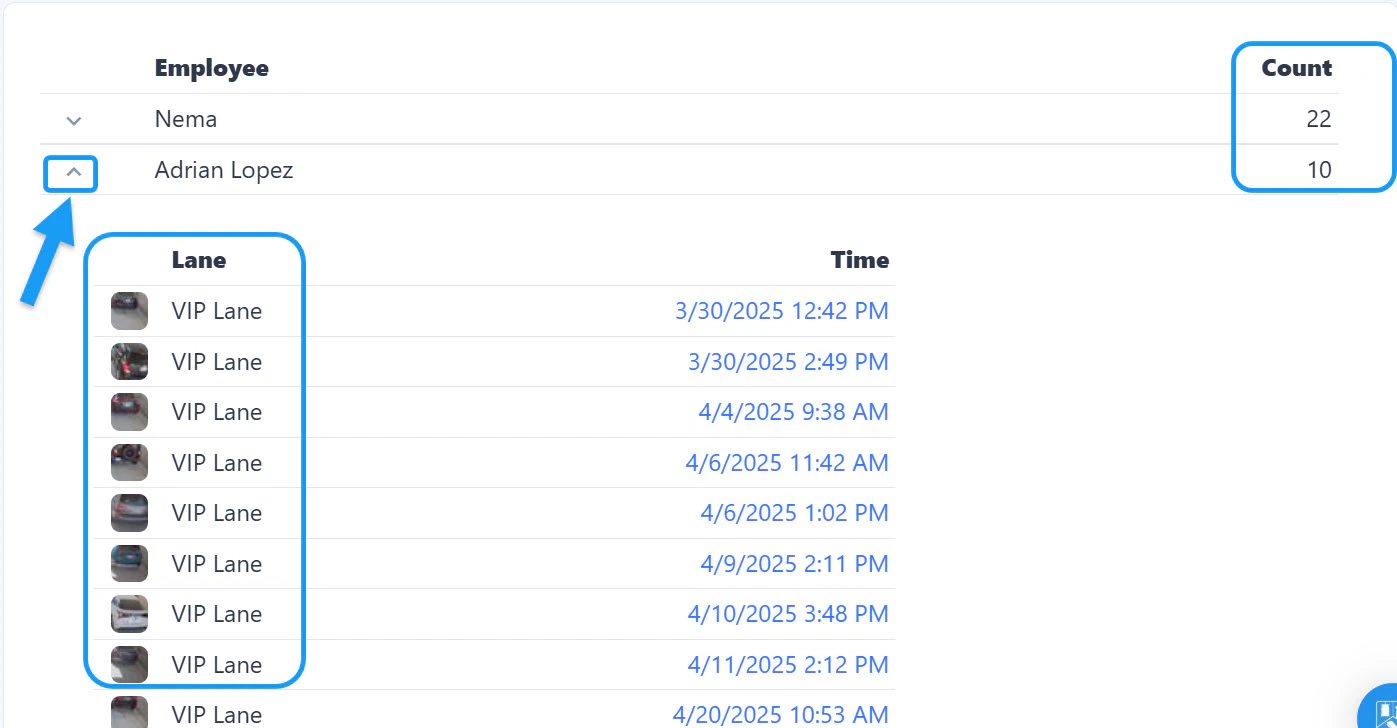 If you click on the arrow located on the left side of each Employee's name, you will get the breakdown showing on which lane did the manual open ocurred, as well as the time. On the final column on the right side you can also see the amount of times each employee did a manual gate open.
You can also enlarge the images of the cars/license plates by clicking on each picture.
If you click on the arrow located on the left side of each Employee's name, you will get the breakdown showing on which lane did the manual open ocurred, as well as the time. On the final column on the right side you can also see the amount of times each employee did a manual gate open.
You can also enlarge the images of the cars/license plates by clicking on each picture.