> ## Documentation Index
> Fetch the complete documentation index at: https://docs.flexwash.com/llms.txt
> Use this file to discover all available pages before exploring further.
# Gift Card Import
> Pre-load gift cards in minutes so your team can start selling and redeeming on day one.
The [Gift Card](/operations/transactions/gift-cards) importer turns a CSV of codes and starting balances into live,
redeemable gift cards in your FlexWash organization. Use it to onboard a
batch of physical cards from a print vendor, to migrate balances from a
legacy system, or to seed promotional cards for a campaign.
 ## Where to Find It
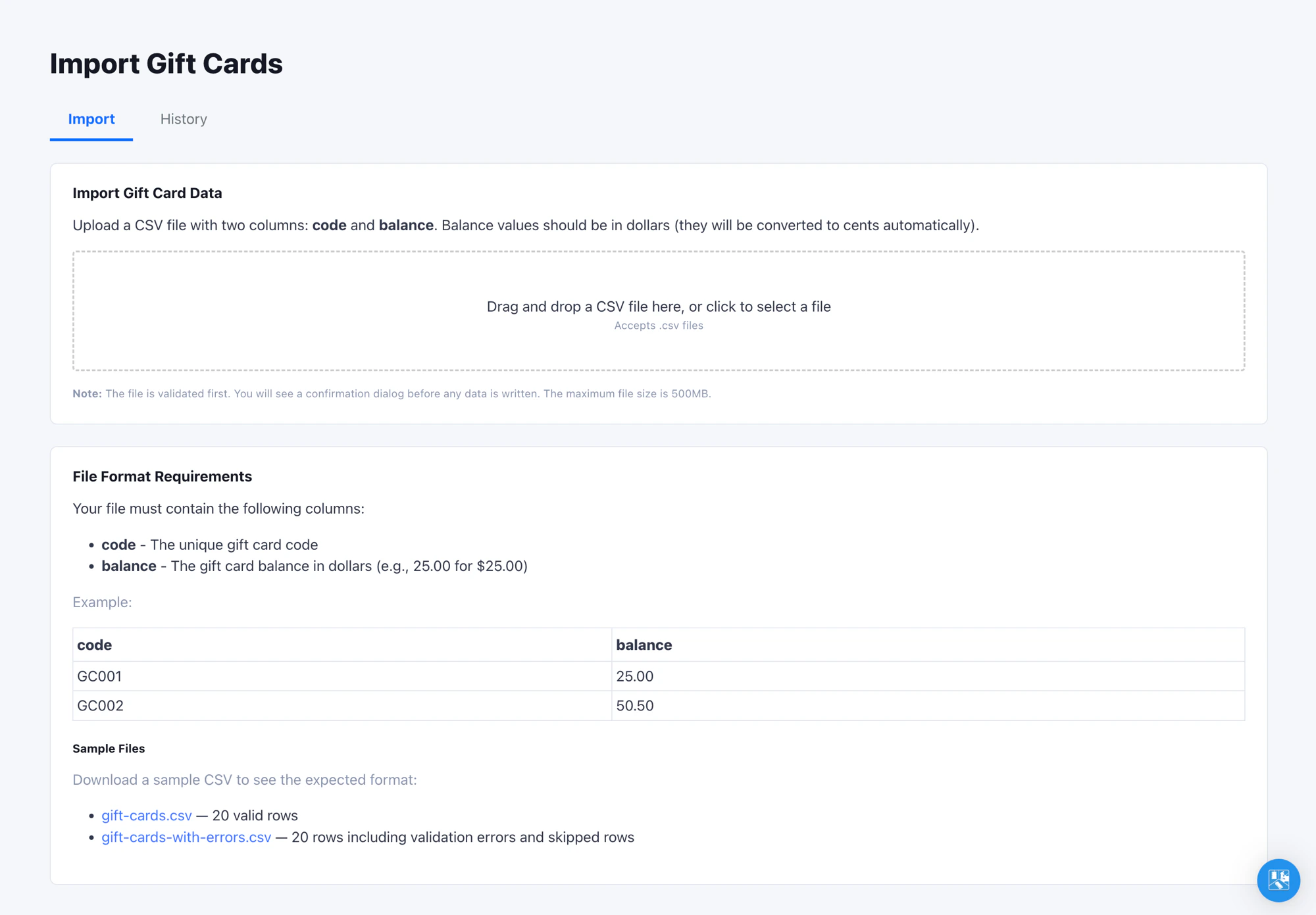
Open **Admin -> Import -> Gift Cards** in the left navigation. The page has
two tabs: **Import** for new uploads, **History** for every prior upload in
this organization. You need at least the Admin role to access this page.
FlexWash gift cards do **not** support expiration. Once active, a card
holds its balance until it is fully redeemed or manually deactivated.
## Where Imported Cards Show Up
Imported gift cards land in the organization's gift card pool but are
**not attached to a customer**. To find them, open
**Reports -> Liabilities** and switch to the **Gift Cards** tab. Cards are
searchable by code or by the cardholder's last four (the latter is empty
for imported cards).
## Re-Importing and Updating Balances
Re-import the same file as many times as you need. Gift cards are matched
by code, and the latest upload wins: a code already in your organization
has its balance overwritten, while new codes are added. Re-running never
creates duplicate cards.
This makes it safe to fix a bad balance column or refresh balances that
changed in your legacy system since the first import. Correct the CSV and
upload it again.
## Verify the Import
Run an end-to-end test before committing to a full file:
1. Upload a 5 to 10 row test CSV.
2. On the pay tablet, start a sale for any package and select **Gift Card**
as the tender. See [Redeem from a pay tablet](/operations/transactions/gift-cards#redeem-from-a-pay-tablet)
for the full flow.
3. Enter one of the imported codes and confirm the balance matches the CSV.
## Tips
* Always open the CSV in a plain-text editor before uploading to verify
Excel has not stripped leading zeros from your card codes or rewritten
long codes in scientific notation.
* The combined balance shown in the confirm dialog is the cleanest sanity
check available before you commit. If it looks off by an order of
magnitude, you almost certainly have a decimal-point issue in the CSV.
## Where to Find It
Open **Admin -> Import -> Gift Cards** in the left navigation. The page has
two tabs: **Import** for new uploads, **History** for every prior upload in
this organization. You need at least the Admin role to access this page.
FlexWash gift cards do **not** support expiration. Once active, a card
holds its balance until it is fully redeemed or manually deactivated.
## Where Imported Cards Show Up
Imported gift cards land in the organization's gift card pool but are
**not attached to a customer**. To find them, open
**Reports -> Liabilities** and switch to the **Gift Cards** tab. Cards are
searchable by code or by the cardholder's last four (the latter is empty
for imported cards).
## Re-Importing and Updating Balances
Re-import the same file as many times as you need. Gift cards are matched
by code, and the latest upload wins: a code already in your organization
has its balance overwritten, while new codes are added. Re-running never
creates duplicate cards.
This makes it safe to fix a bad balance column or refresh balances that
changed in your legacy system since the first import. Correct the CSV and
upload it again.
## Verify the Import
Run an end-to-end test before committing to a full file:
1. Upload a 5 to 10 row test CSV.
2. On the pay tablet, start a sale for any package and select **Gift Card**
as the tender. See [Redeem from a pay tablet](/operations/transactions/gift-cards#redeem-from-a-pay-tablet)
for the full flow.
3. Enter one of the imported codes and confirm the balance matches the CSV.
## Tips
* Always open the CSV in a plain-text editor before uploading to verify
Excel has not stripped leading zeros from your card codes or rewritten
long codes in scientific notation.
* The combined balance shown in the confirm dialog is the cleanest sanity
check available before you commit. If it looks off by an order of
magnitude, you almost certainly have a decimal-point issue in the CSV.