> ## Documentation Index
> Fetch the complete documentation index at: https://docs.flexwash.com/llms.txt
> Use this file to discover all available pages before exploring further.
# Taxes
> We show you how to set up taxes for the wash packages you sell.
Taxes can be created in the system, and then assigned to each package. This allows us to apply the appropriate tax rates based on the package and its location.
## Wash Menu
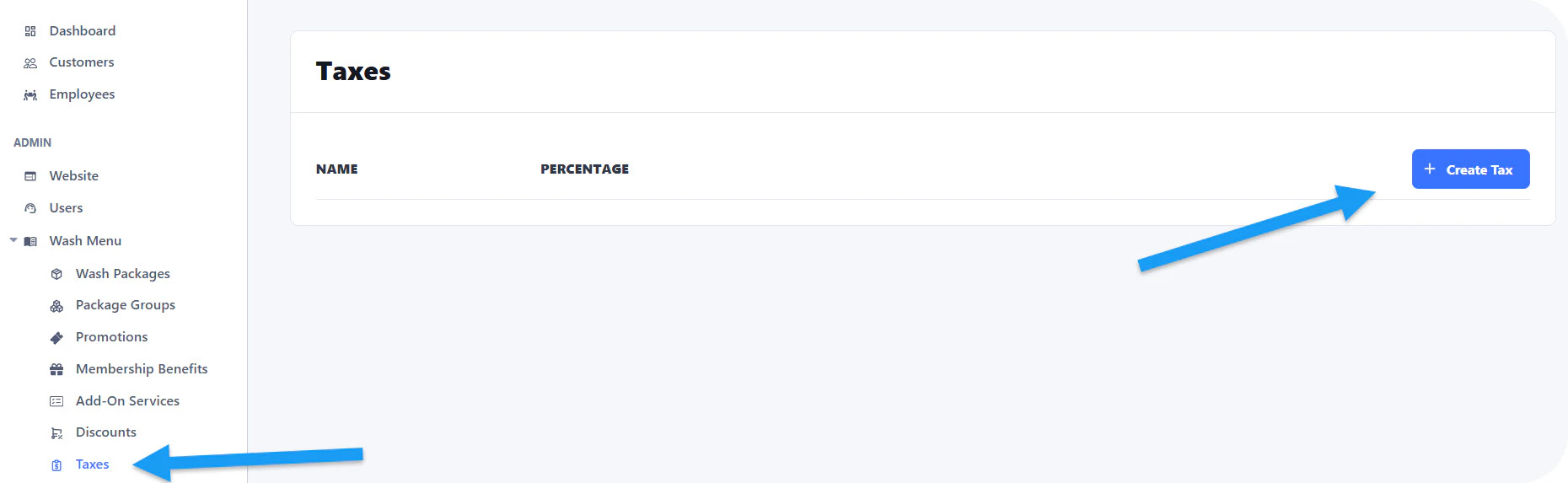
Select the Taxes option:
 ## Name and percentage
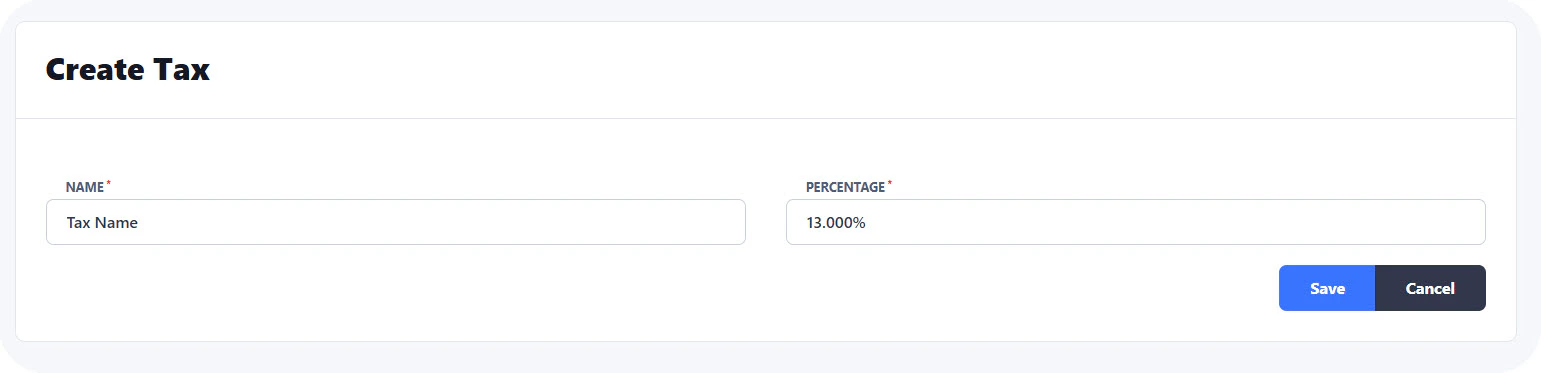
You can now set up a name for the tax and its percentage:
## Name and percentage
You can now set up a name for the tax and its percentage:
 ## Apply to Wash Packages
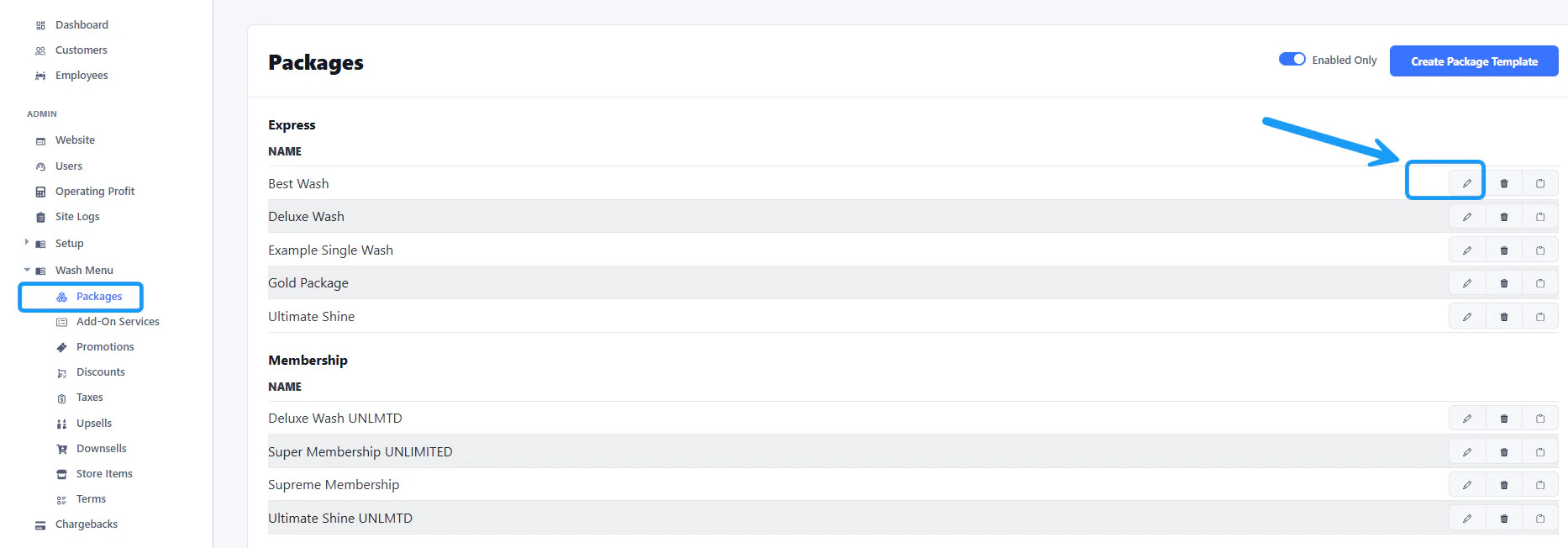 Once the tax is created, it is time to apply it to your wash packages. Open your "Packages" and select the edit option.
 Scroll to the bottom until you find the **Car Wash Packages** section. Click again on the edit button.
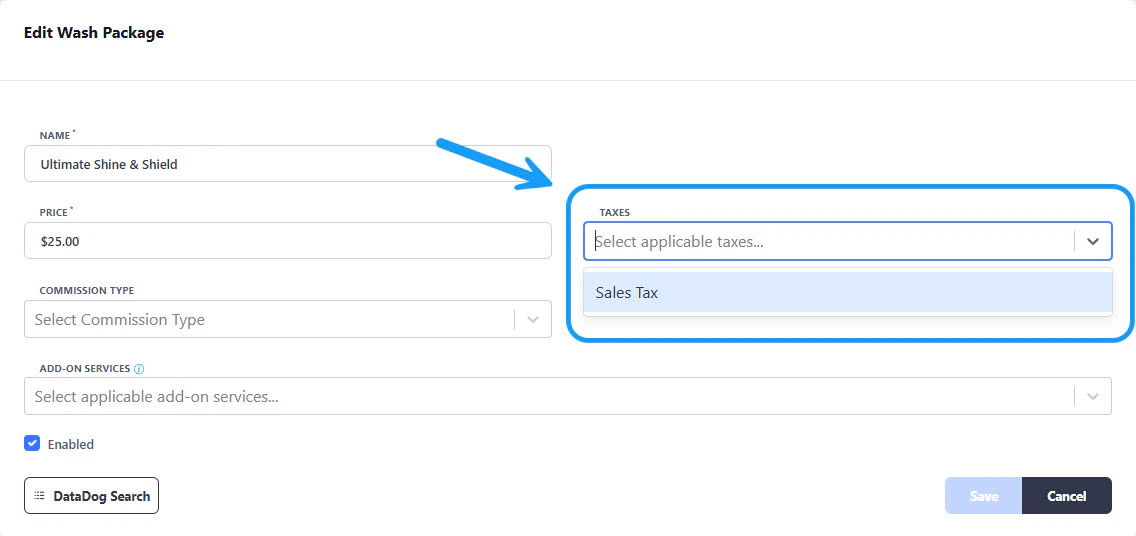 A new window will appear. You will find the taxes section there. Click and select the correct one. Save your changes before you close the window.