> ## Documentation Index
> Fetch the complete documentation index at: https://docs.flexwash.com/llms.txt
> Use this file to discover all available pages before exploring further.
# Car Wash Config
> Manage site-level settings to streamline operations and maintain a consistent on-site experience.
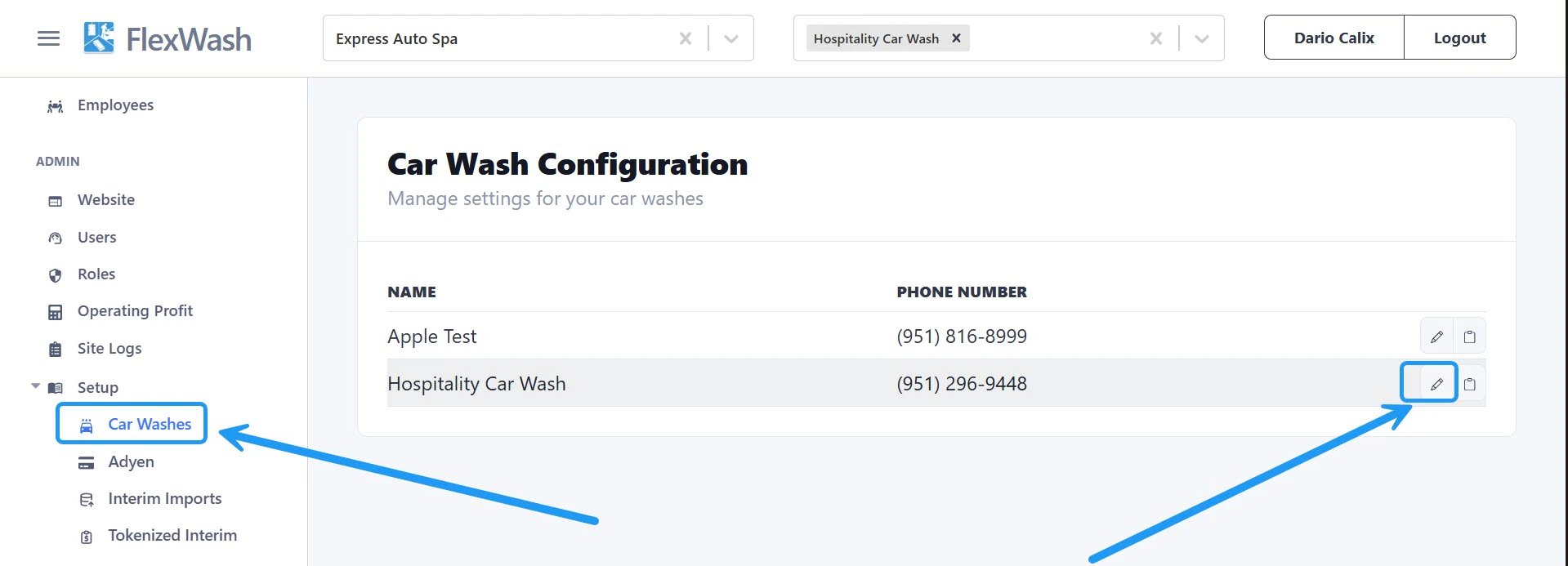
Under the **Setup** section in the left sidebar, click **Car Washes**, then select **Edit** next to the site you want to configure.
 ## Phone Number
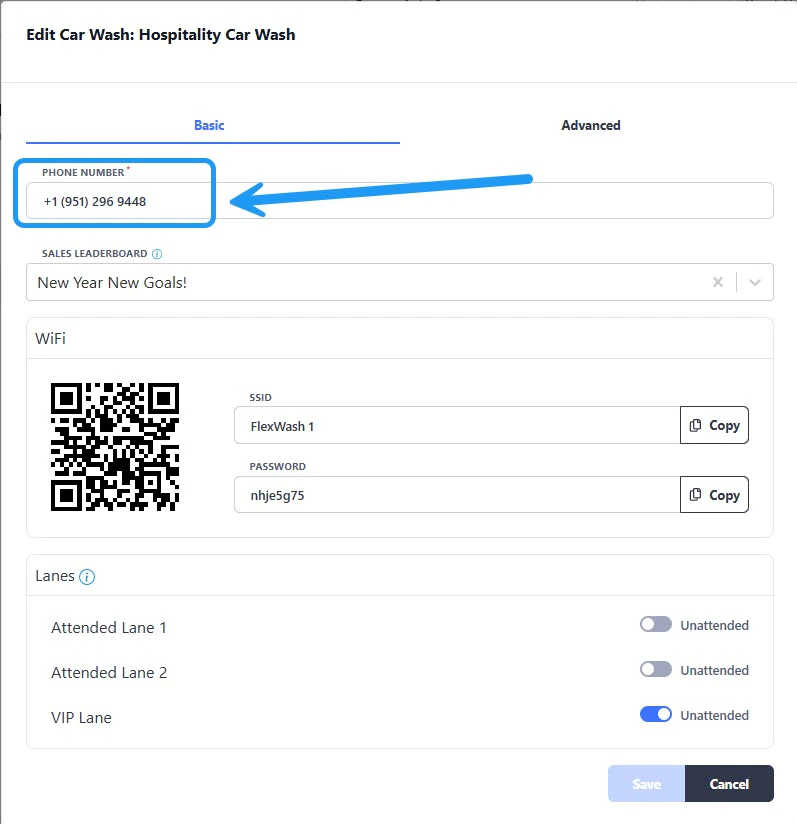
Update the phone number displayed on both digital and printed receipts. Enter the new number and save your changes.
## Phone Number
Update the phone number displayed on both digital and printed receipts. Enter the new number and save your changes.
 ## Sales Leaderboard
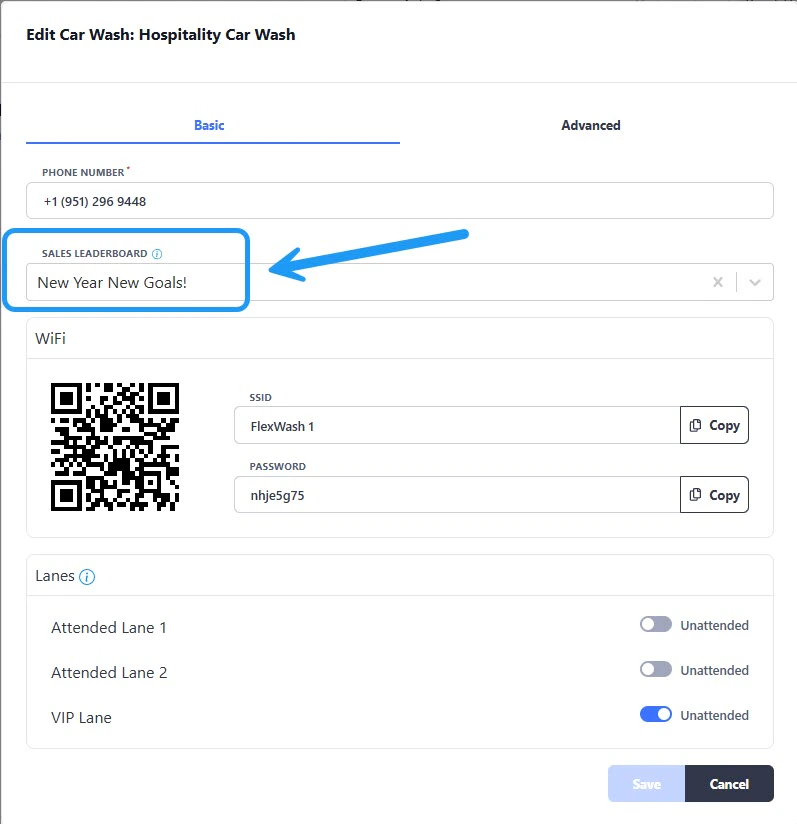
Select which leaderboard is displayed on Pay Tablets to track and motivate sales performance.
## Sales Leaderboard
Select which leaderboard is displayed on Pay Tablets to track and motivate sales performance.
 ## FlexWash WiFi
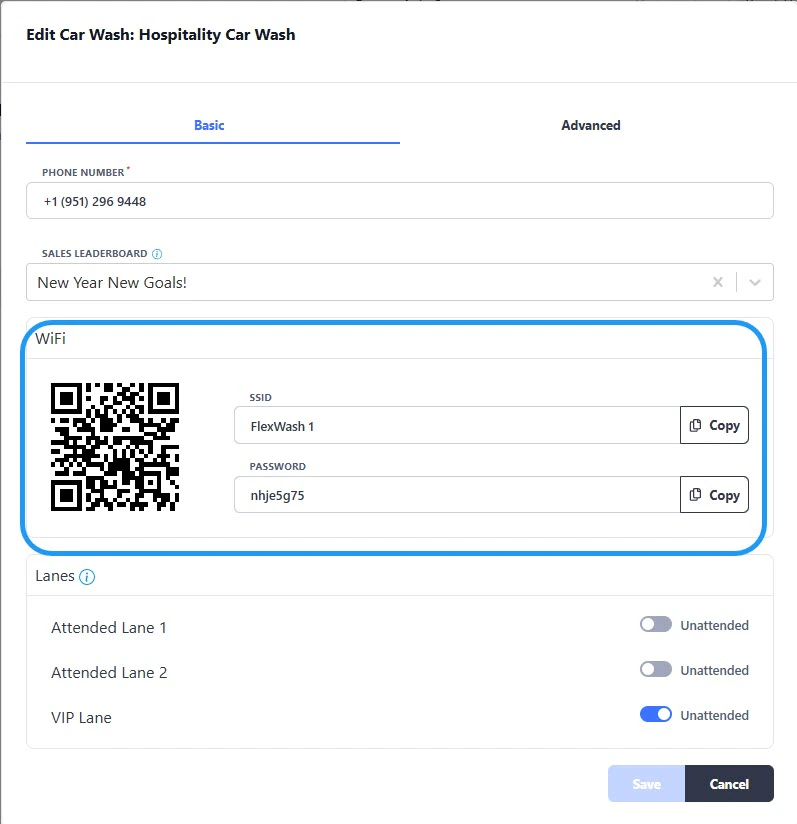
View the WiFi password for the selected site and access the QR code for quick connection.
## FlexWash WiFi
View the WiFi password for the selected site and access the QR code for quick connection.
 ## Lane Config
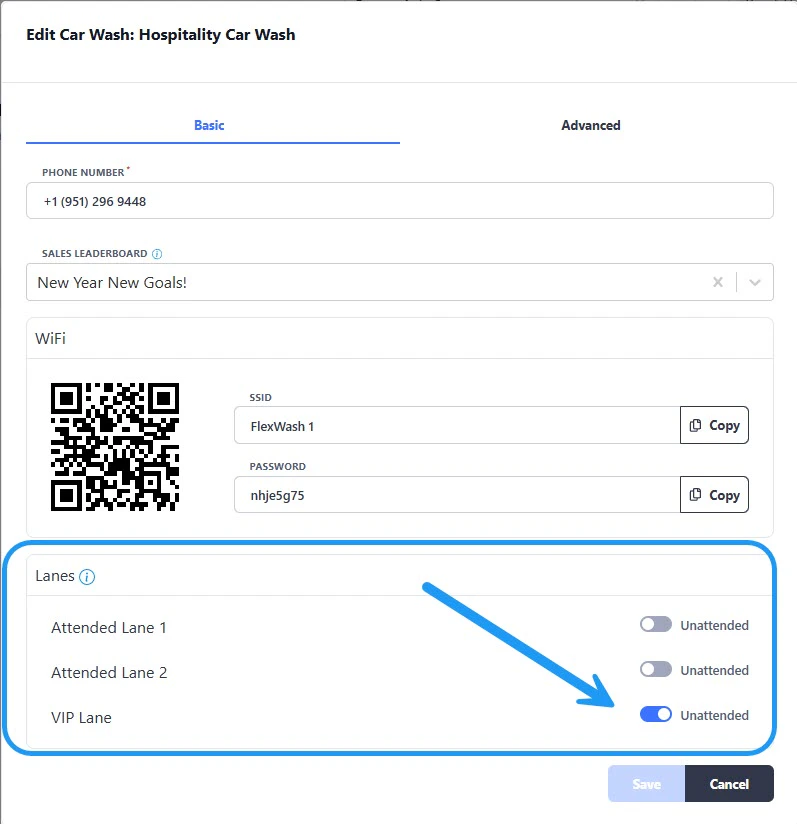 Dynamically switch self-checkout lanes between attended and unattended modes to match operational needs in real time.
* **Attended Mode**: An attendant is present to assist customers.
* **Unattended Mode**: The lane operates independently without continuous supervision.
This change takes effect immediately; no system restart required.
Dynamically switch self-checkout lanes between attended and unattended modes to match operational needs in real time.
* **Attended Mode**: An attendant is present to assist customers.
* **Unattended Mode**: The lane operates independently without continuous supervision.
This change takes effect immediately; no system restart required.