> ## Documentation Index
> Fetch the complete documentation index at: https://docs.flexwash.com/llms.txt
> Use this file to discover all available pages before exploring further.
# Fleet Activity
> See fleet usage and unbilled revenue across every account and location, then export exactly what you need to invoice.
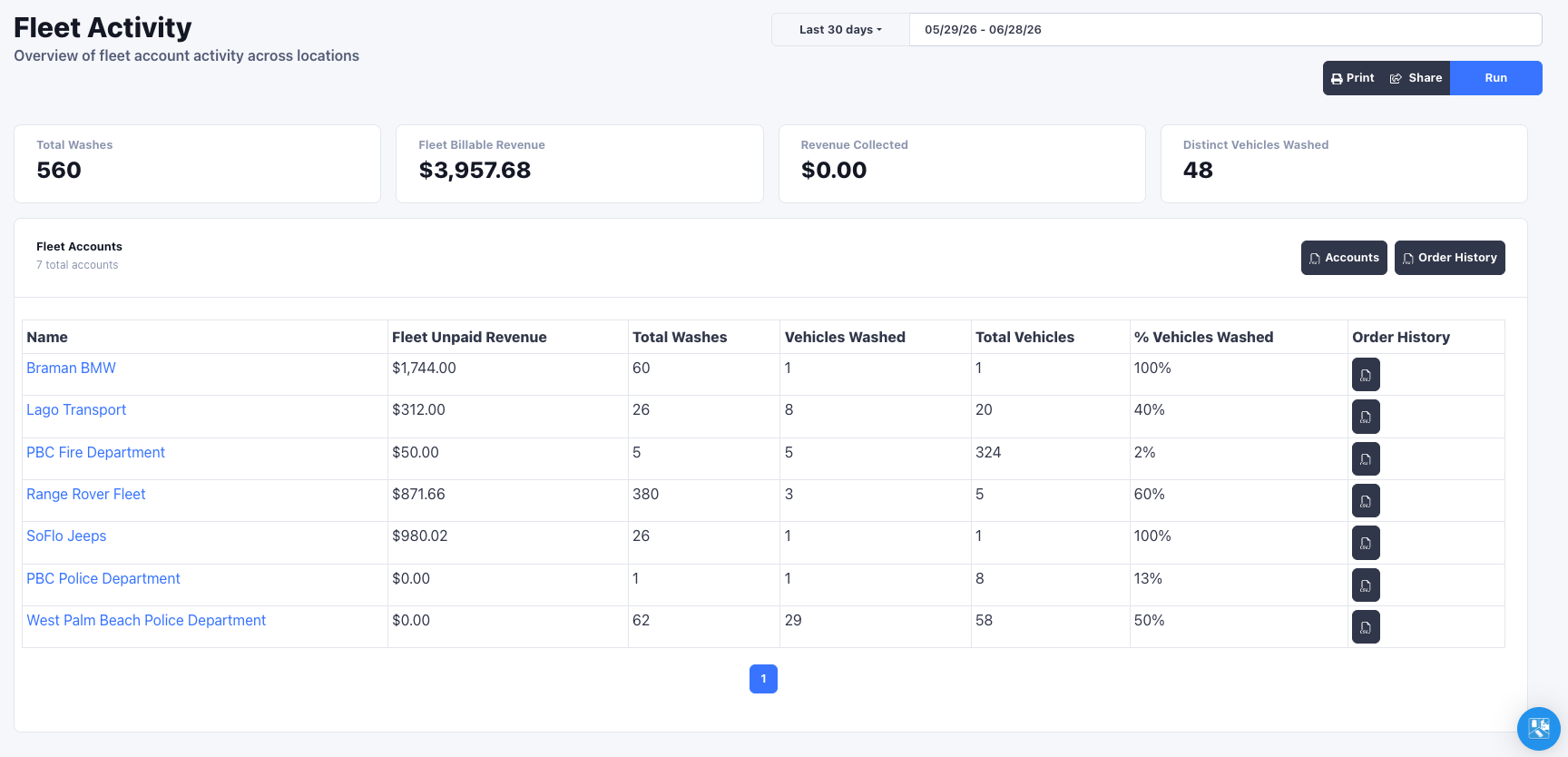
The Fleet Activity report rolls up how much your fleet accounts are washing and how much you have yet to bill, across all selected locations. It is the companion to [Tender to fleet](/configuration/fleets/tender-to-fleet): wash now, then come here to reconcile and invoice.
You can find Fleet Activity in the sidebar menu under the Reports section.
## Running the report
Confirm the car wash selection in the top navbar, pick a date range, and click **Run**.
 ## Summary
Four cards summarize the selected period across all chosen locations:
* **Total Washes** in the period
* **Fleet Billable Revenue**, the full value of fleet-tendered washes
* **Revenue Collected**
* **Distinct Vehicles Washed**
## Accounts table
Below the summary, each fleet account gets a row:
| Column | Meaning |
| -------------------- | -------------------------------------------------------------------------------- |
| Name | The fleet account (links to the customer profile) |
| Fleet Unpaid Revenue | Value of fleet-tendered washes not yet collected, what you still need to invoice |
| Total Washes | Washes attributed to the account in range |
| Vehicles Washed | Distinct vehicles that washed |
| Total Vehicles | Vehicles on the account |
| % Vehicles Washed | Vehicles Washed as a share of Total Vehicles |
## Rewash filtering
To keep counts honest, the report collapses **rewashes**: when the same license plate is rung up again within a 30 minute window only one wash is counted.
Rewash filtering means the wash counts here reflect distinct service visits, not
raw order rows, so a vehicle sent back through for a redo is not double-counted
against the account.
## Exporting
The report exports straight to CSV so you can invoice from real numbers:
* **Accounts** exports the full account summary table (every account, not just the current page).
* **Order History** exports the underlying fleet-tendered orders for **all** accounts, with plate, vehicle details, note, and order total.
* Each account row also has its own **Order History** export for a single account.
Use the per-account Order History export to attach a line-item backup to that
account's invoice, and the all-accounts export for a full-period audit.
## Summary
Four cards summarize the selected period across all chosen locations:
* **Total Washes** in the period
* **Fleet Billable Revenue**, the full value of fleet-tendered washes
* **Revenue Collected**
* **Distinct Vehicles Washed**
## Accounts table
Below the summary, each fleet account gets a row:
| Column | Meaning |
| -------------------- | -------------------------------------------------------------------------------- |
| Name | The fleet account (links to the customer profile) |
| Fleet Unpaid Revenue | Value of fleet-tendered washes not yet collected, what you still need to invoice |
| Total Washes | Washes attributed to the account in range |
| Vehicles Washed | Distinct vehicles that washed |
| Total Vehicles | Vehicles on the account |
| % Vehicles Washed | Vehicles Washed as a share of Total Vehicles |
## Rewash filtering
To keep counts honest, the report collapses **rewashes**: when the same license plate is rung up again within a 30 minute window only one wash is counted.
Rewash filtering means the wash counts here reflect distinct service visits, not
raw order rows, so a vehicle sent back through for a redo is not double-counted
against the account.
## Exporting
The report exports straight to CSV so you can invoice from real numbers:
* **Accounts** exports the full account summary table (every account, not just the current page).
* **Order History** exports the underlying fleet-tendered orders for **all** accounts, with plate, vehicle details, note, and order total.
* Each account row also has its own **Order History** export for a single account.
Use the per-account Order History export to attach a line-item backup to that
account's invoice, and the all-accounts export for a full-period audit.